IDSTower deploys, configures, monitors and manages rules for Suricata clusters at scale. Point it at hosts already running Suricata and it detects your instances, backs up your configuration, and takes over only the capabilities you choose — monitoring first, full management when you're ready.
No signup — the demo credentials are pre-filled for you.
You don't hand over your production IDS on day one. Onboard an existing cluster and choose which of six capabilities IDSTower manages — each independent, each changeable at any time.
Metrics, service status and resource usage from your hosts.
Push IDS rules and threat-intelligence indicators to your sensors.
Clean up Suricata logs by retention period and disk usage.
Start, stop and restart the Suricata services.
Install and upgrade the Suricata and Filebeat versions.
Own and deploy suricata.yaml and the cluster's configuration profile.
Start with monitoring only, so IDSTower changes nothing on your hosts. Add rules management when you trust it. Hand over suricata.yaml last — and a backup of your existing configuration is taken before anything changes, either way.
Manage multiple Suricata clusters with 10's of hosts from a single, easy-to-use GUI.
Configure any Suricata option without the need to edit text files.
Stop duct taping right and left, automate your IDS operations, reduce human error and provision IDS clusters in minutes.
Thousands of companies around the world use Suricata IDS/IPS to defend their networks.
Manage Suricata IDS Clusters with ease, Provision, Configure & Monitor Clusters through an intuitive, easy-to-use web interface.
a step-by-step wizard for installing Suricata across many hosts at once, with multiple repositories to install packages from, including deploying to offline machines using the built-in packages repository, or your own custom-built packages. Already running Suricata? Point the wizard at those hosts instead and IDSTower onboards them as they are, without reinstalling anything.
Central management for starting, stopping and configuring Suricata & the logshipper (Filebeat) across the entire cluster, with a full history of all configuration changes, so you can revert back to them with a single click.
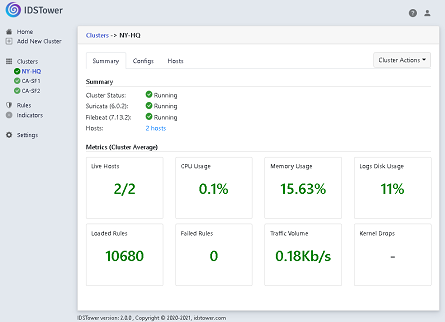
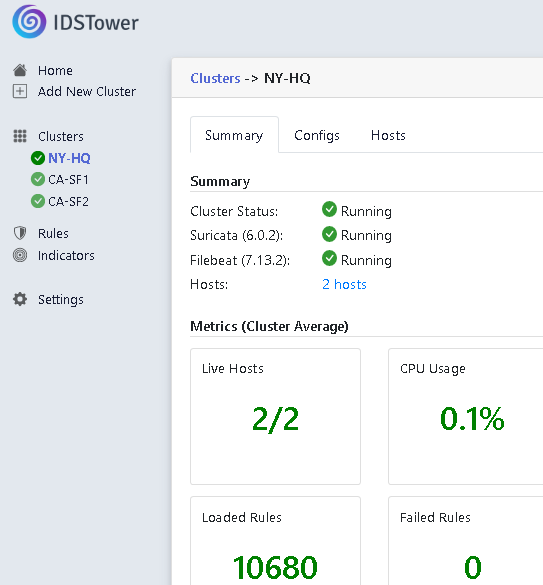
Collects key suricata metrics, hosts health metrics, loaded & failed rules and display them in one web interface.
Manage your IDS Ruleset through a centralized web Interface, with a powerful search & filtration features.
Enable a Rules feed or manually import Rules from multiple files at once, while intelligently expiring old rule revisions and enabling the new ones, saving you precious time & effort to keep your rules updated.
Each Suricata host is integrated with IDSTower to periodically checks for rules updates & apply them automatically.
Manage rule life-cycle using rule status, organize them into custom categories, add custom tags\metadata to them to add more context for analysts, all without editing a single text file.
Export IDSTower-Managed rules/IOCs to external Suricata installations or other systems in text, STIX2.1 format and more.
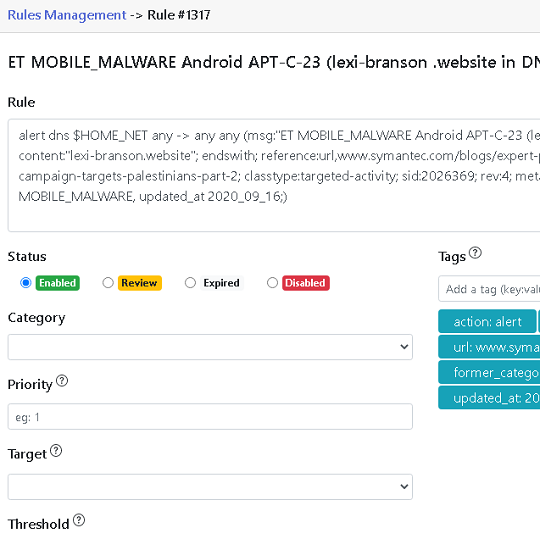
IDSTower lets you customize rule via the rule editor, and will parse and validate the rule syntax automatically, while intelligently inserting the changes you set to the final rule sent to the hosts.
Edit all of your rules through the web GUI, change the source code, set the category and even add tags to add more context to your analyst.
Set Rule Priority, Target and other options without editing the rule source code!, all the changes you set through the UI will be intelligently inserted into the final rule.
When you customize a rule through rule options, IDSTower will make sure to copy those customizations to the new rule revisions.
Enable Commercial & Open Source Threat Intelligence Feeds with a single click!, now with 14 pre-integrated Rules & IOCs Feeds and generic feeds support including TAXII\STIX, MISP and more!.
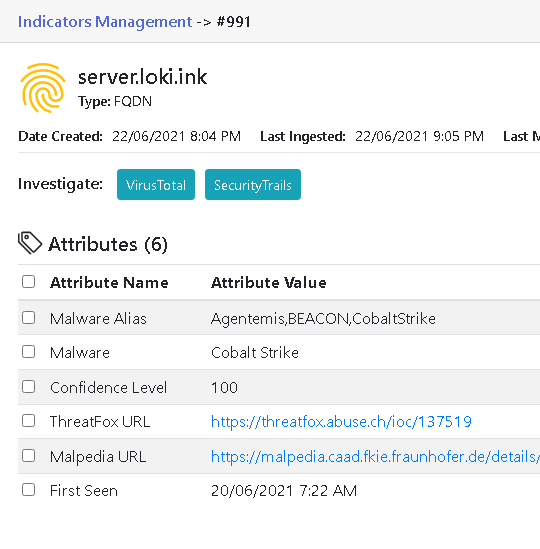
IDSTower will ingest Thousands of Indicators of Compromise from enabled feeds, extract their associated metadata, assign them a score, set an expiration date & expire them when they are no longer present in the feed, all automatically!
Each Suricata host is integrated with IDSTower to periodically checks for Indicators updates & apply them automatically.
All enabled indicators will be alerted on when they are detected in the monitored network traffic without you having to write any rules.
A license is counted in Suricata instances. On the Free and Professional tiers each host runs a single instance, so one host = one instance. The Enterprise tier allows several instances on the same host, and each instance counts toward your licensed number.
Manage Suricata hosts effectively, save time and money by automating manual work.
When you buy the professional, you will get email support with it, you can contact us at any time for issues concerning IDSTower, The Enterprise license offers tailored support as per the customer needs.
We encourage you to test out IDSTower before buying it to make sure it fits your needs, that is why we offer a Free 30-day Trial (no credit card required!).
If 30 days are not enough, please contact us and we'd love to help you out!
Installation no longer asks for a license key. IDSTower starts without one, and the first administrator to log in is taken to an activation page where the key is pasted in. You can also set or change it later from Settings → License.
For Docker and automated deployments, the key can be provisioned non-interactively with the --set-license-key option, so no configuration file has to be edited.
IDSTower runs on Ubuntu, Debian, RHEL, AlmaLinux, Rocky Linux, Oracle Linux and Amazon Linux, and can also be run as a Docker container. Please refer to the system requirements section for the supported versions, each with its own step-by-step installation guide.
The IDSTower installation wizard offers three different installation sources, one of which is your own custom packages repository. All you need to do is place your custom-built Suricata packages on the IDSTower machine and you are ready to go. See using custom-built packages in our documentation for the details.
If your Suricata is already installed and you would rather not have IDSTower package or reinstall it at all, you can onboard the existing installation instead and leave Package Management switched off.